Project management for interior designers
Project management software for interior designers that does the admin for you.
Procurist carries every decision you make into every document and update, so you never have to update it all yourself.
You didn't become a designer to do admin work.
You don't need yet another tool to do admin work.
You need fully integrated software that does it for you.
Spreadsheets, email threads, PDFs, WhatsApp messages, supplier websites and manually built presentations lead to duplicated work, outdated information, mistakes and lost communications.
Every project
Every project, every document, in one place.
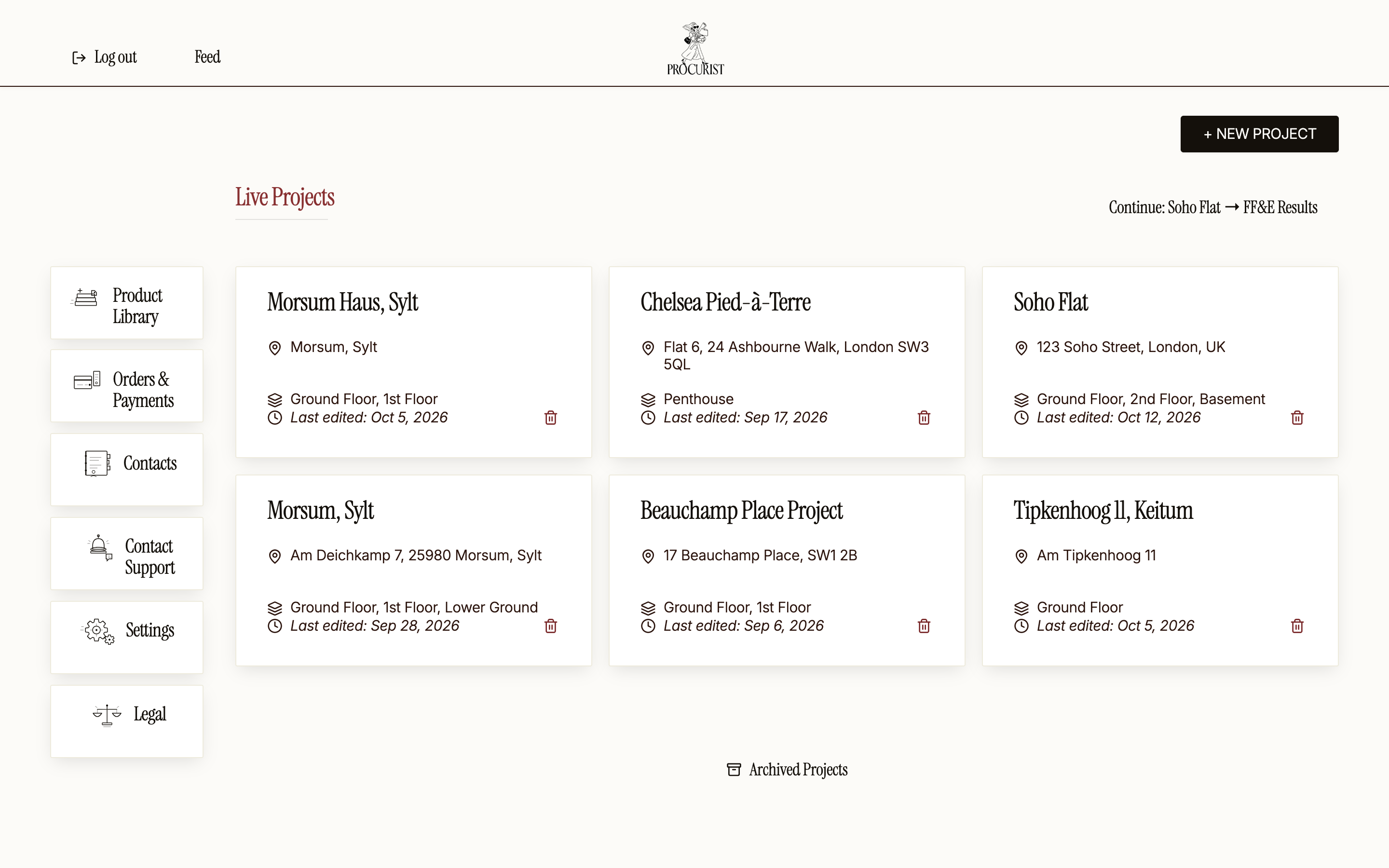
Every live project sits on one dashboard, with its address, floors and last edit.
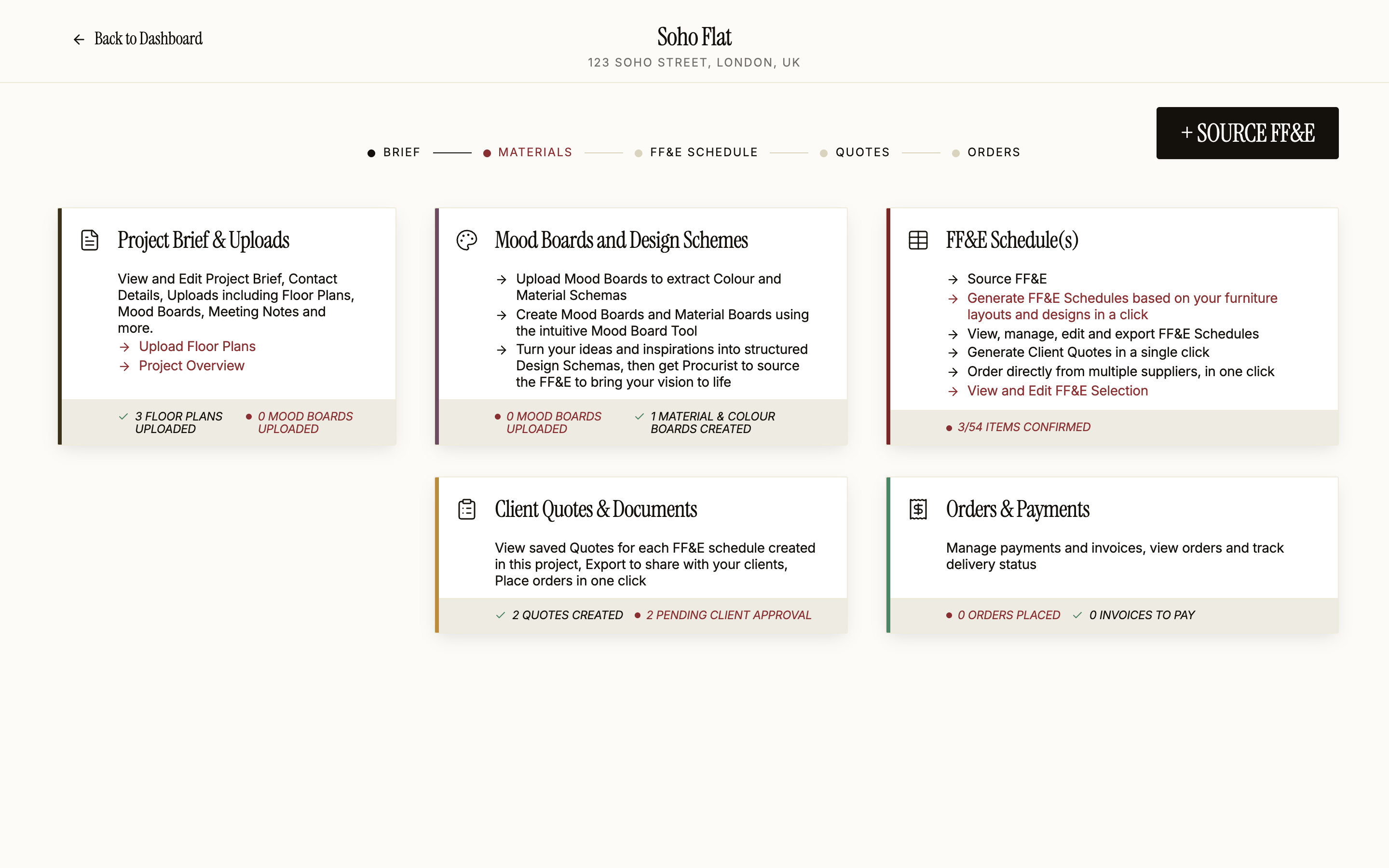
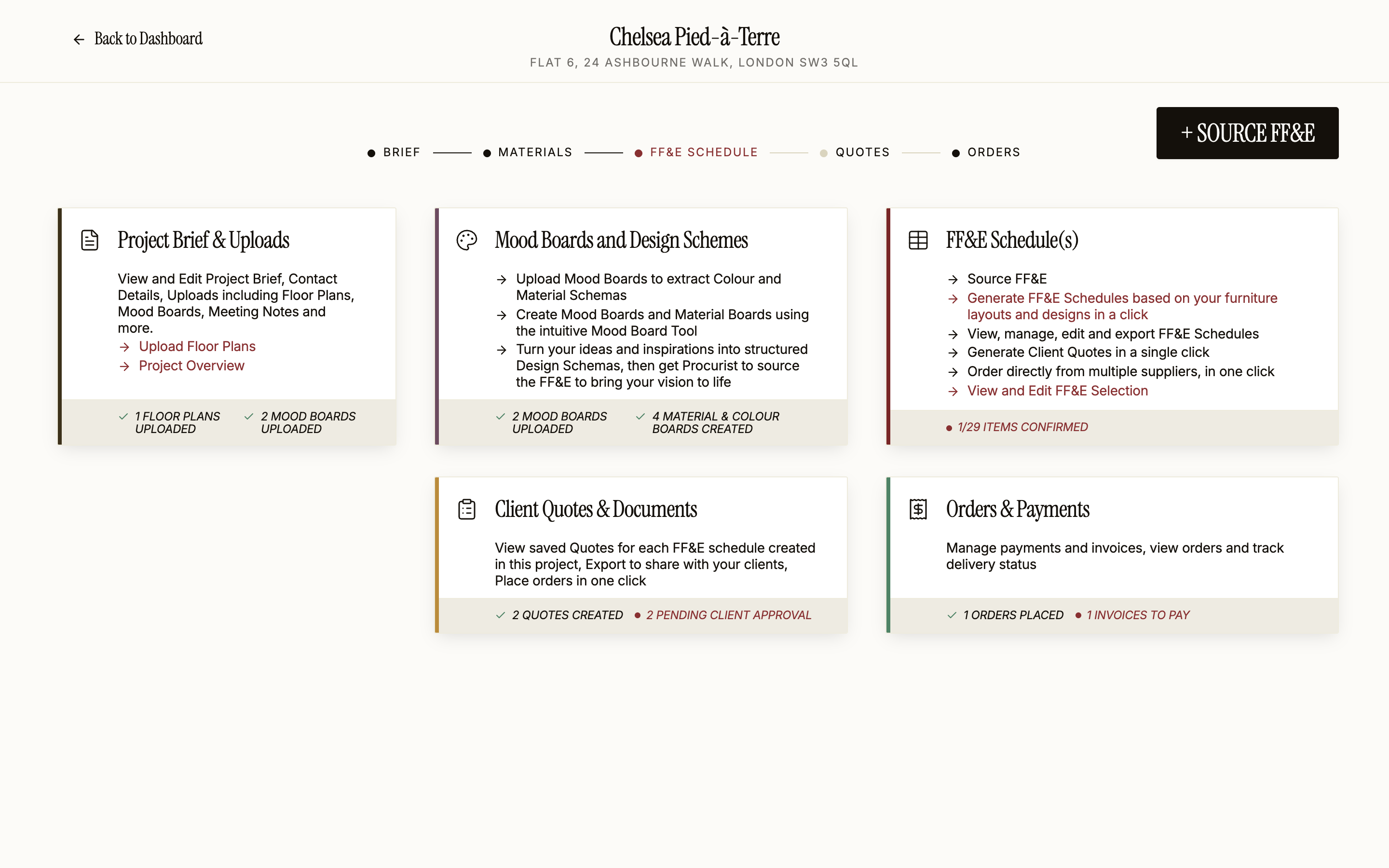
Each project holds its brief, mood boards, FF&E schedules, presentations, quotes and orders.
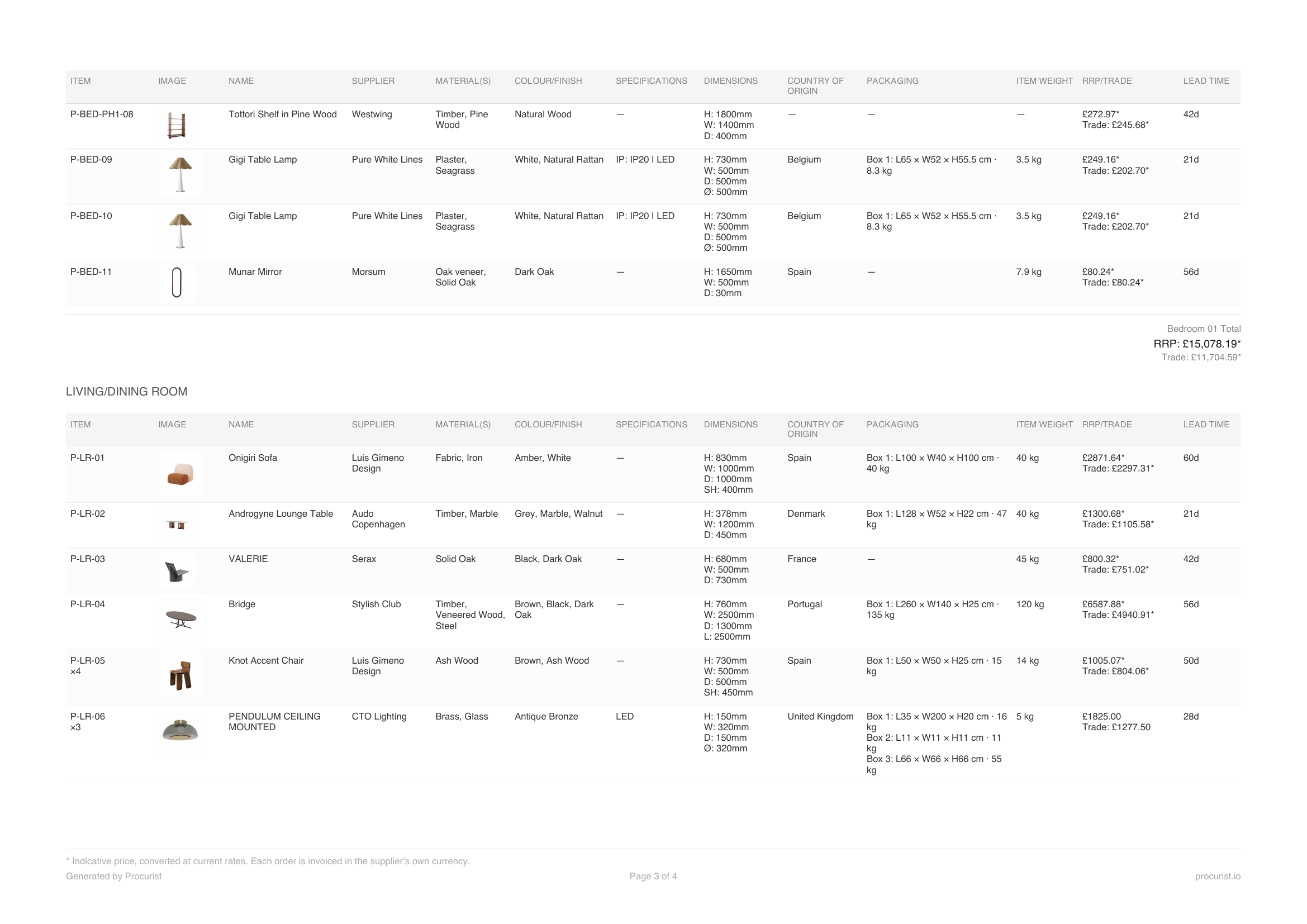
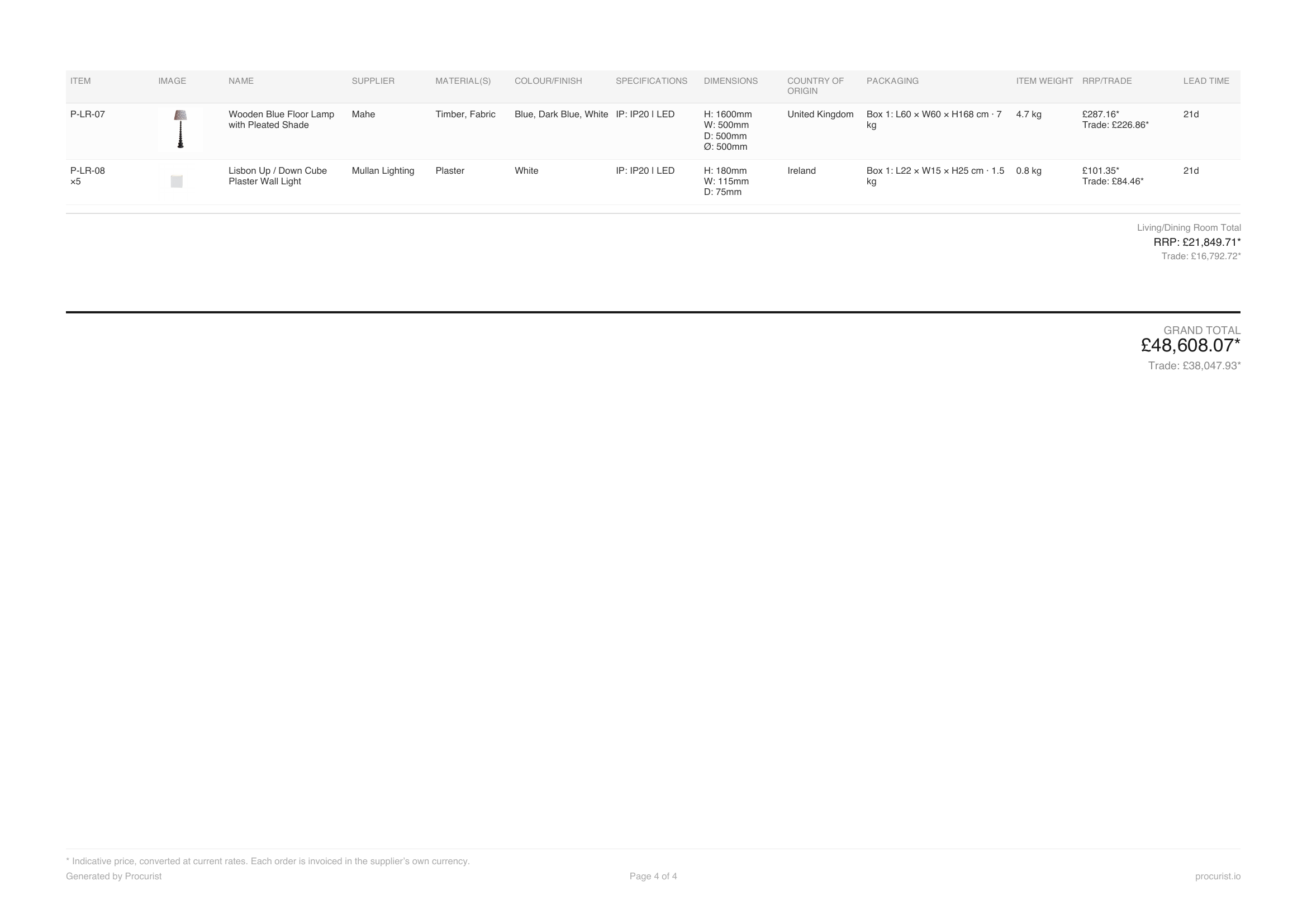
Track your budget against actual spend as the schedule fills up.
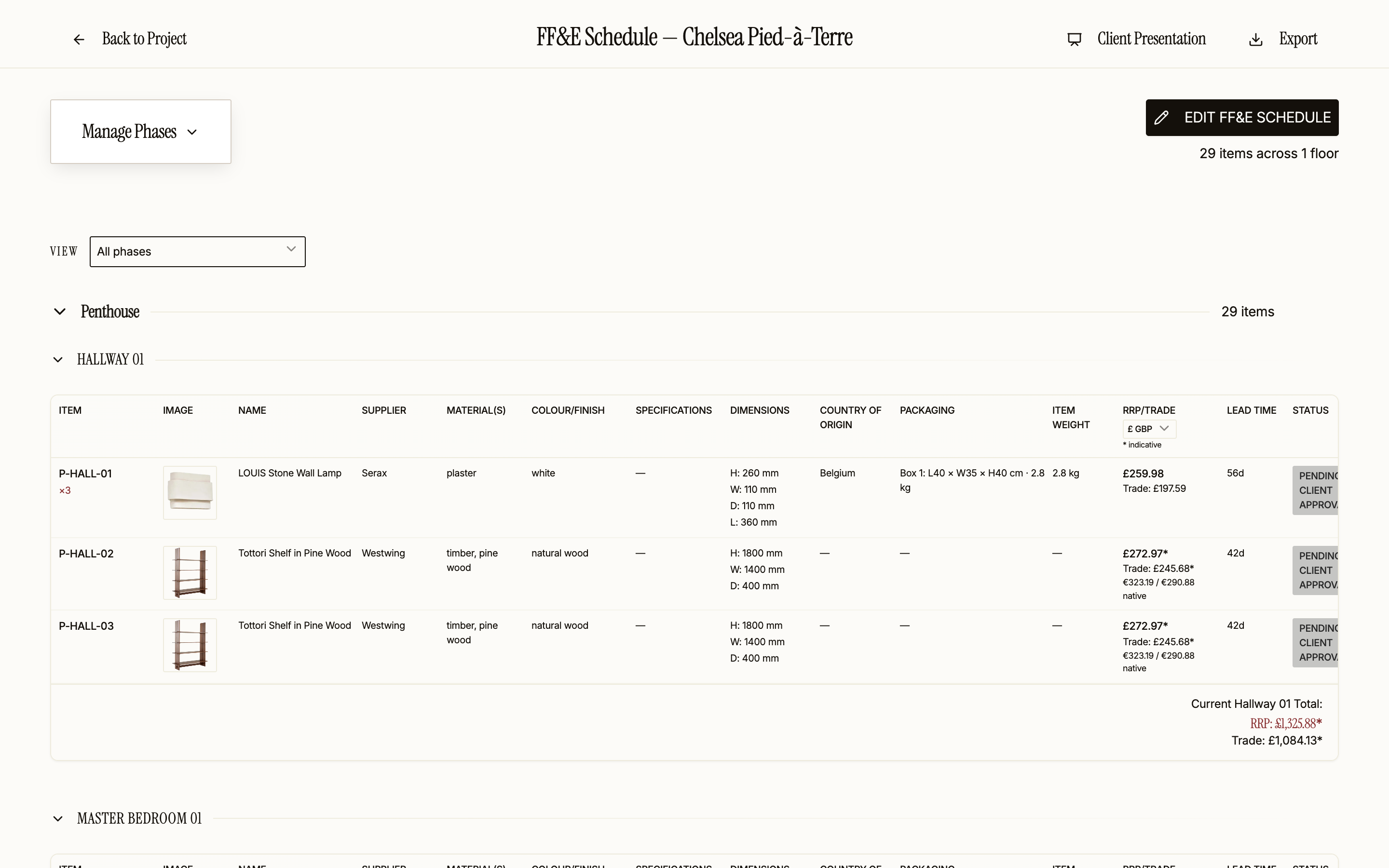
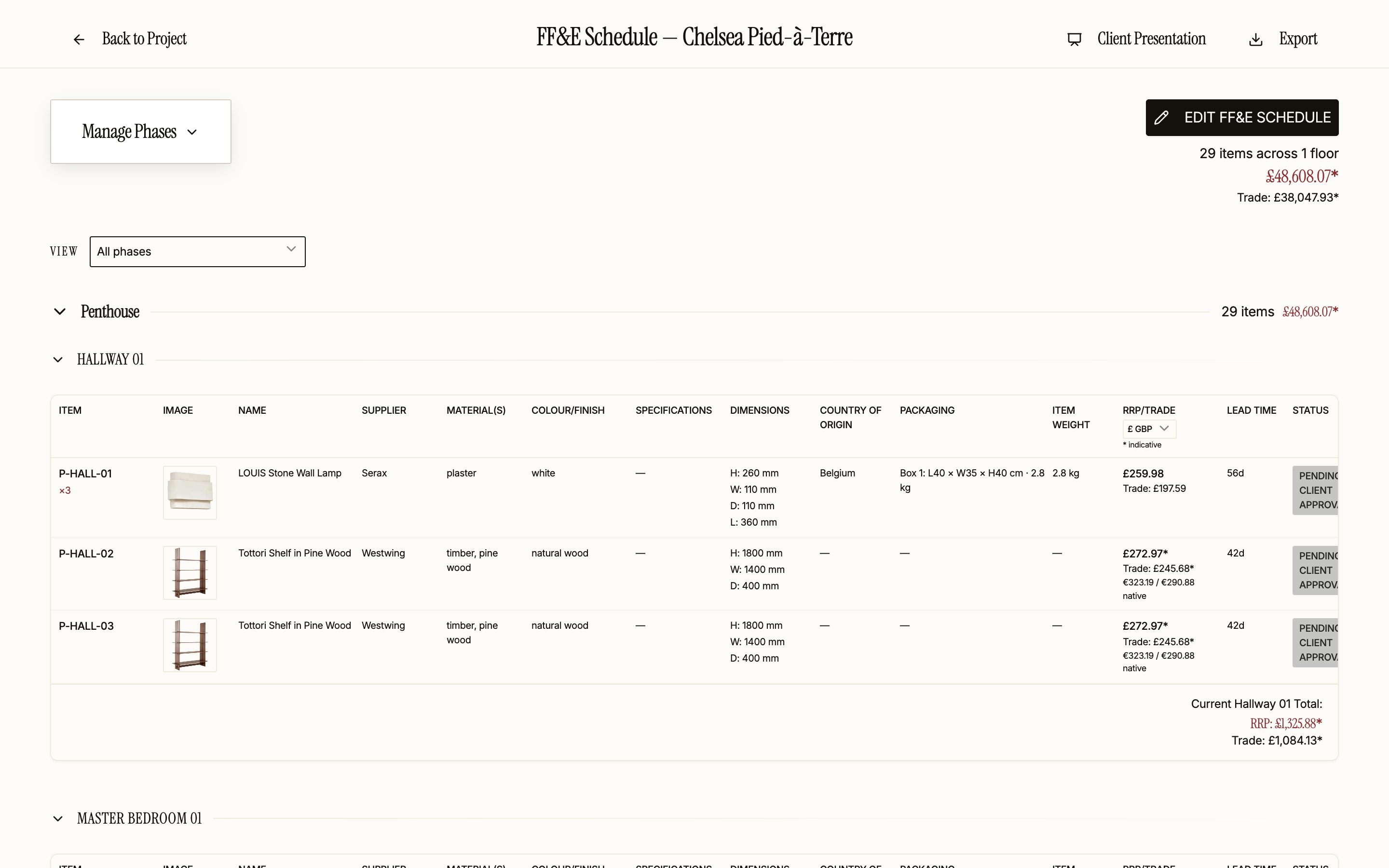
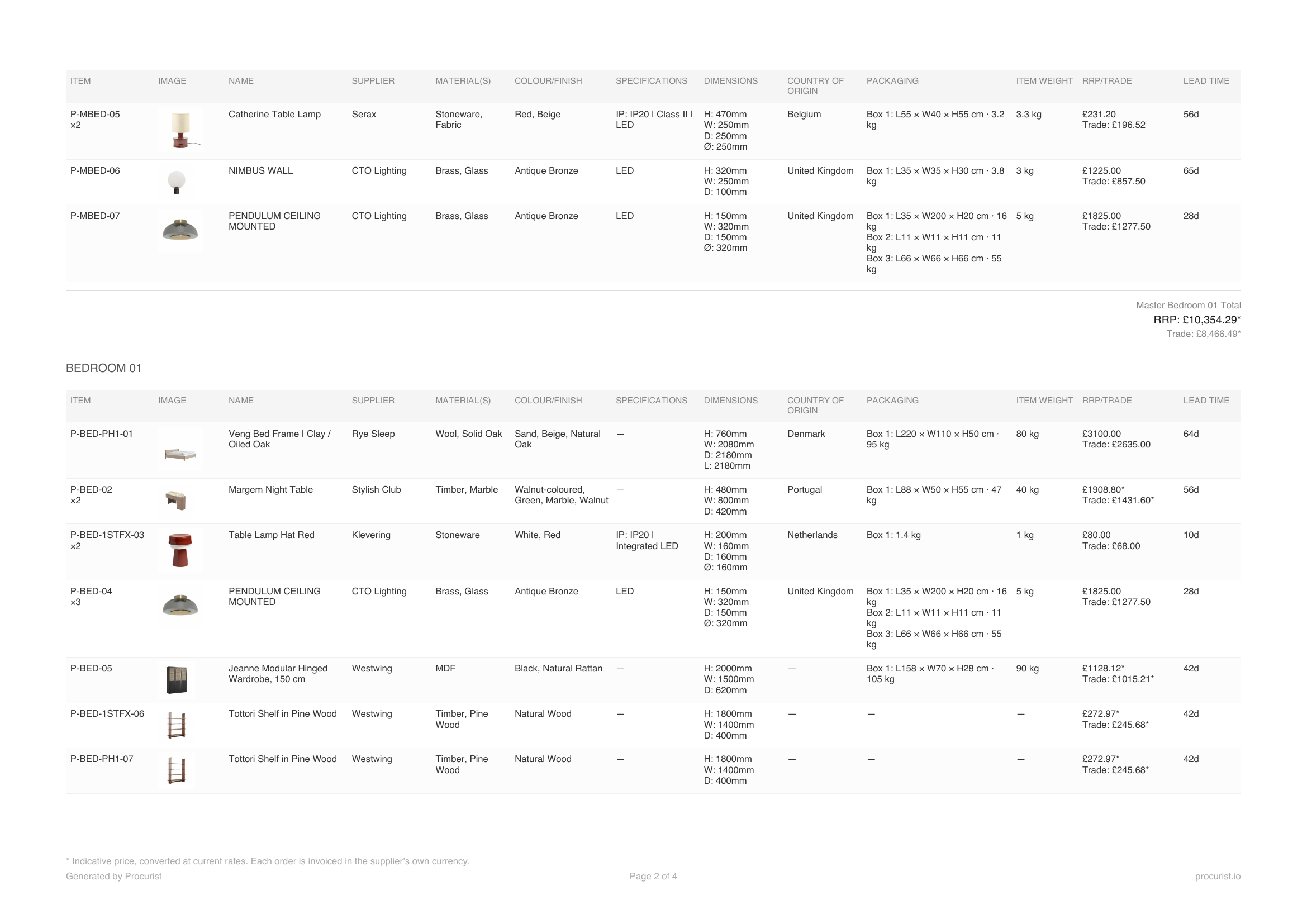
See the lead time of every piece, with delays flagged before they hold up the project.
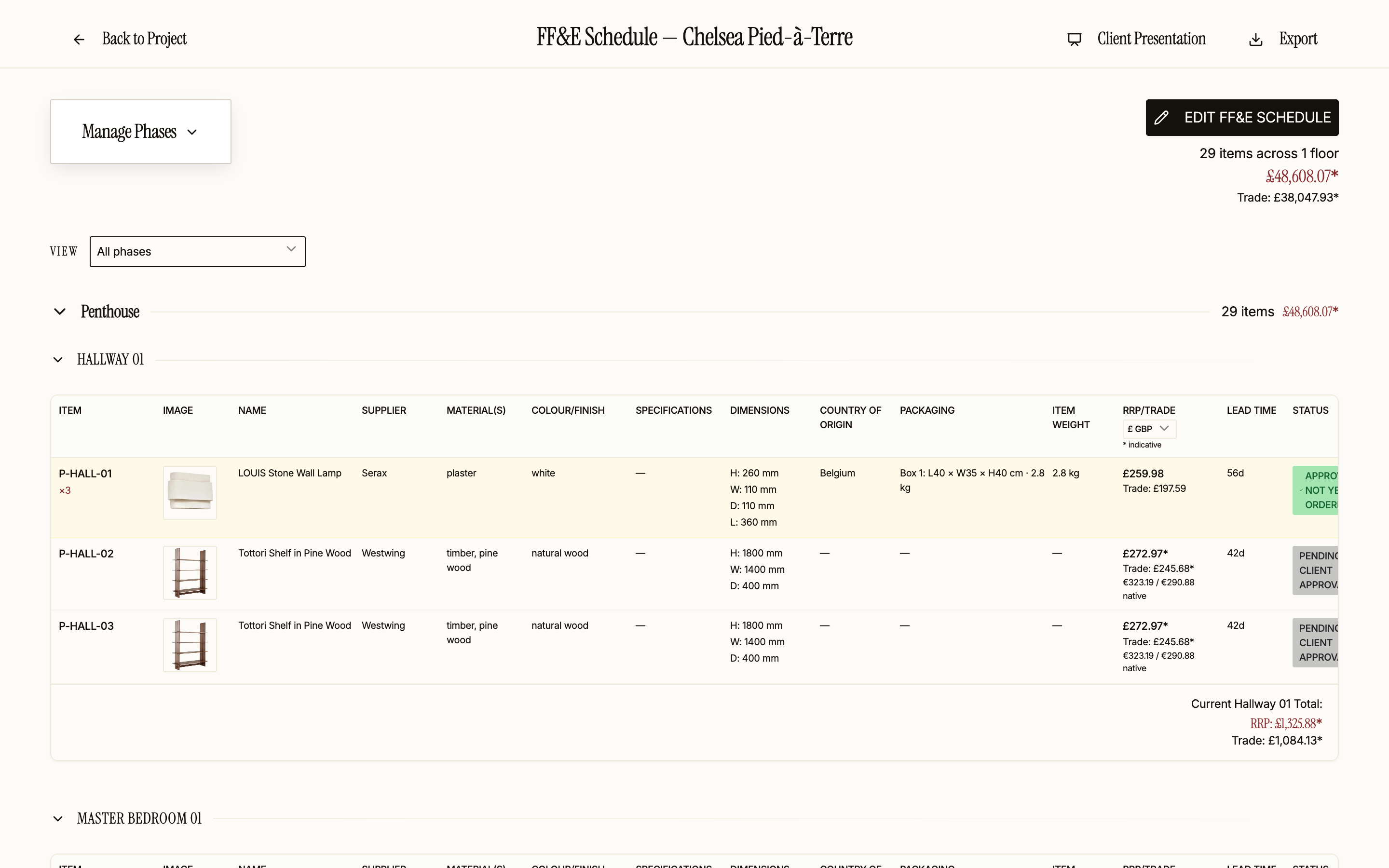
Your client's sign-off is recorded on the schedule, piece by piece.
Always in sync
Your decisions flow into every document.
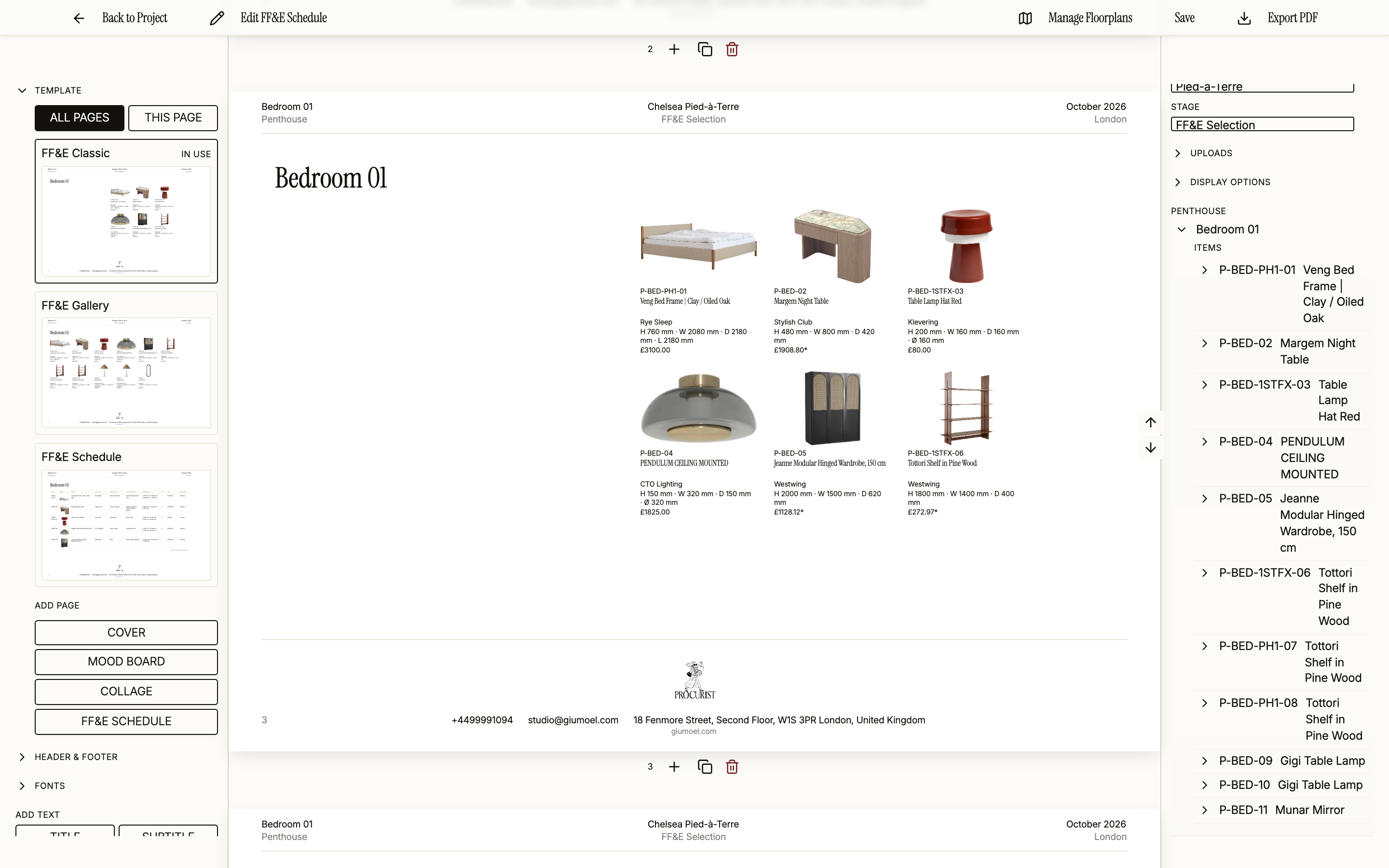
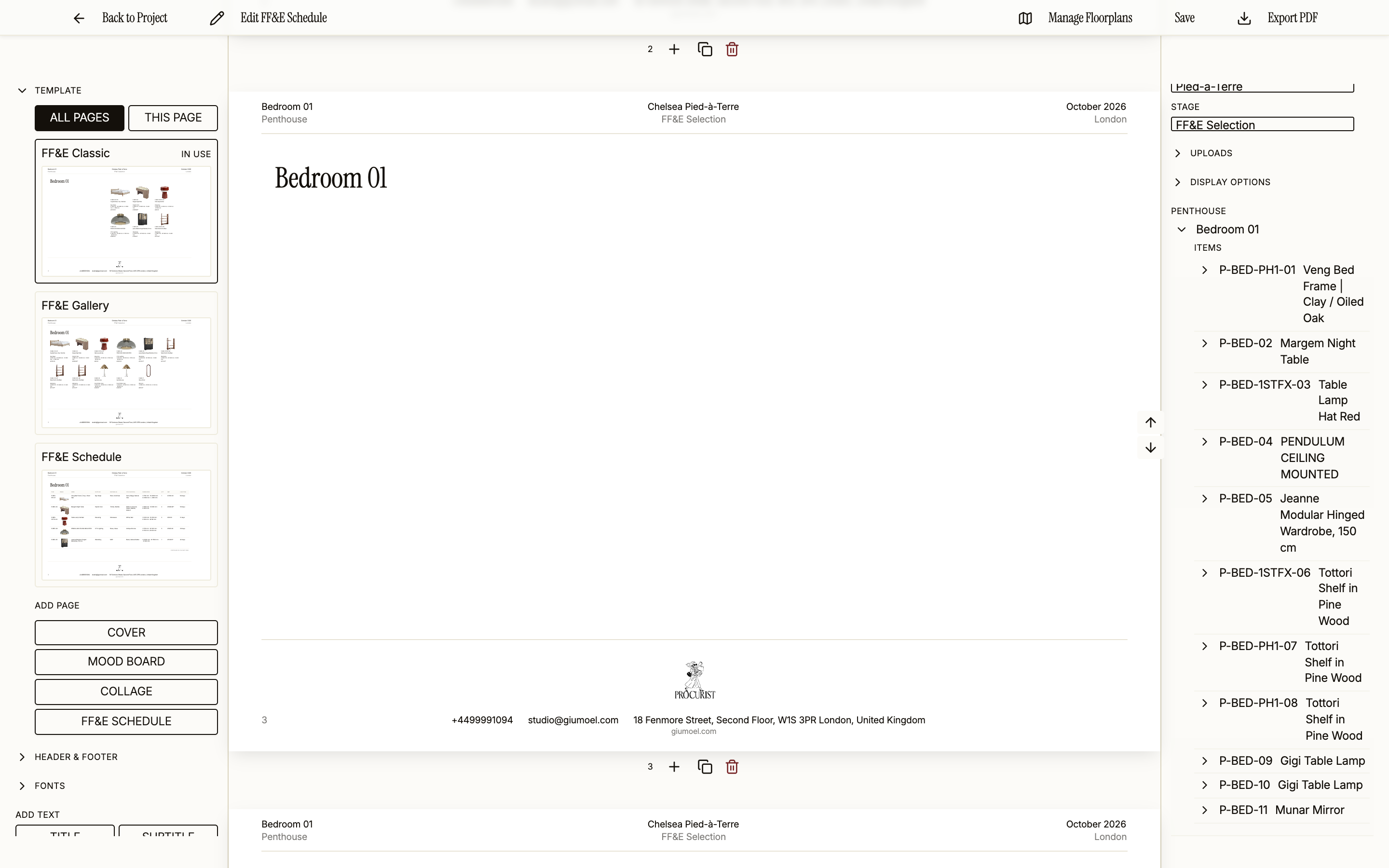
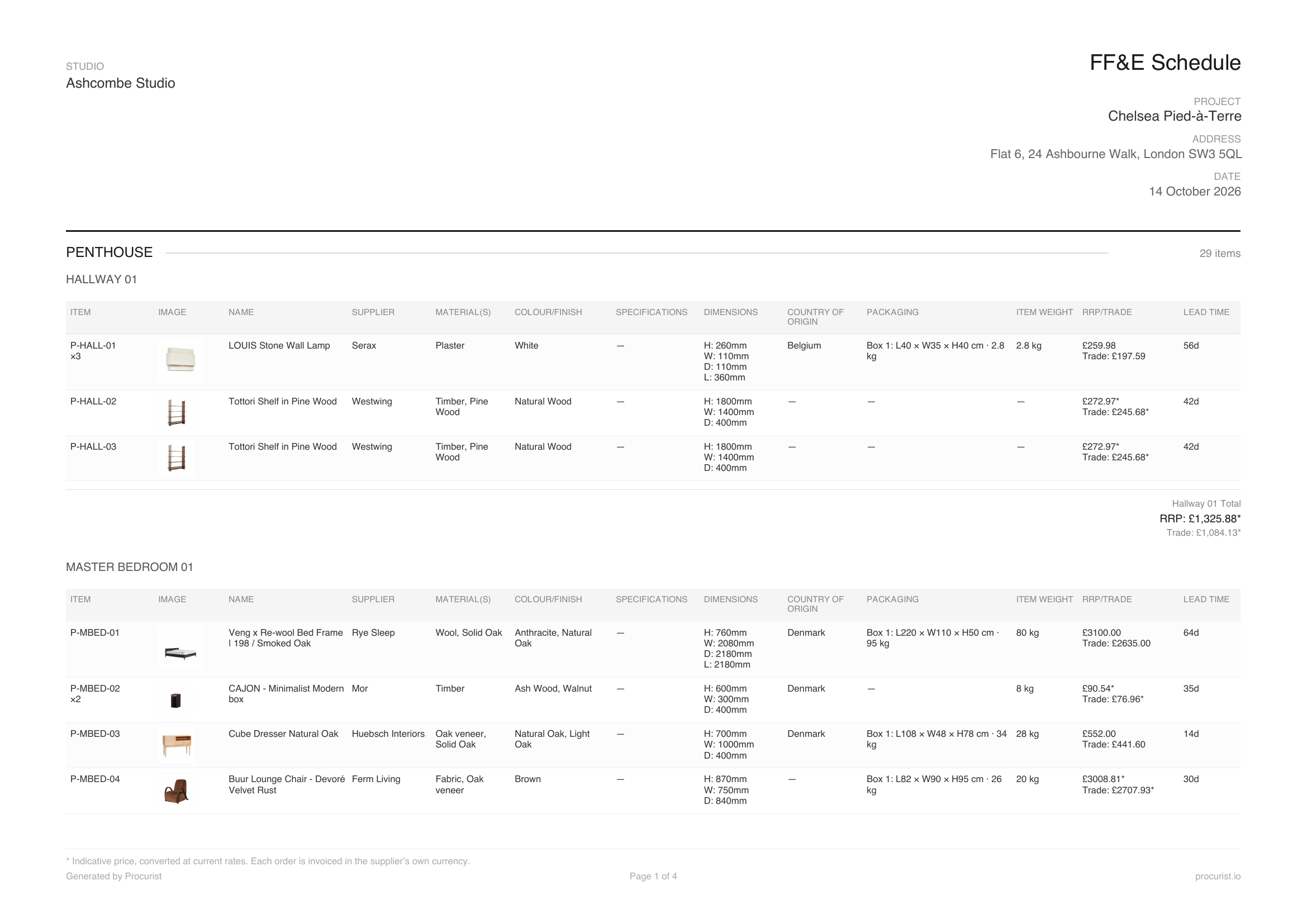
FF&E schedules. Generated from your drawings and brief, with live supplier data.
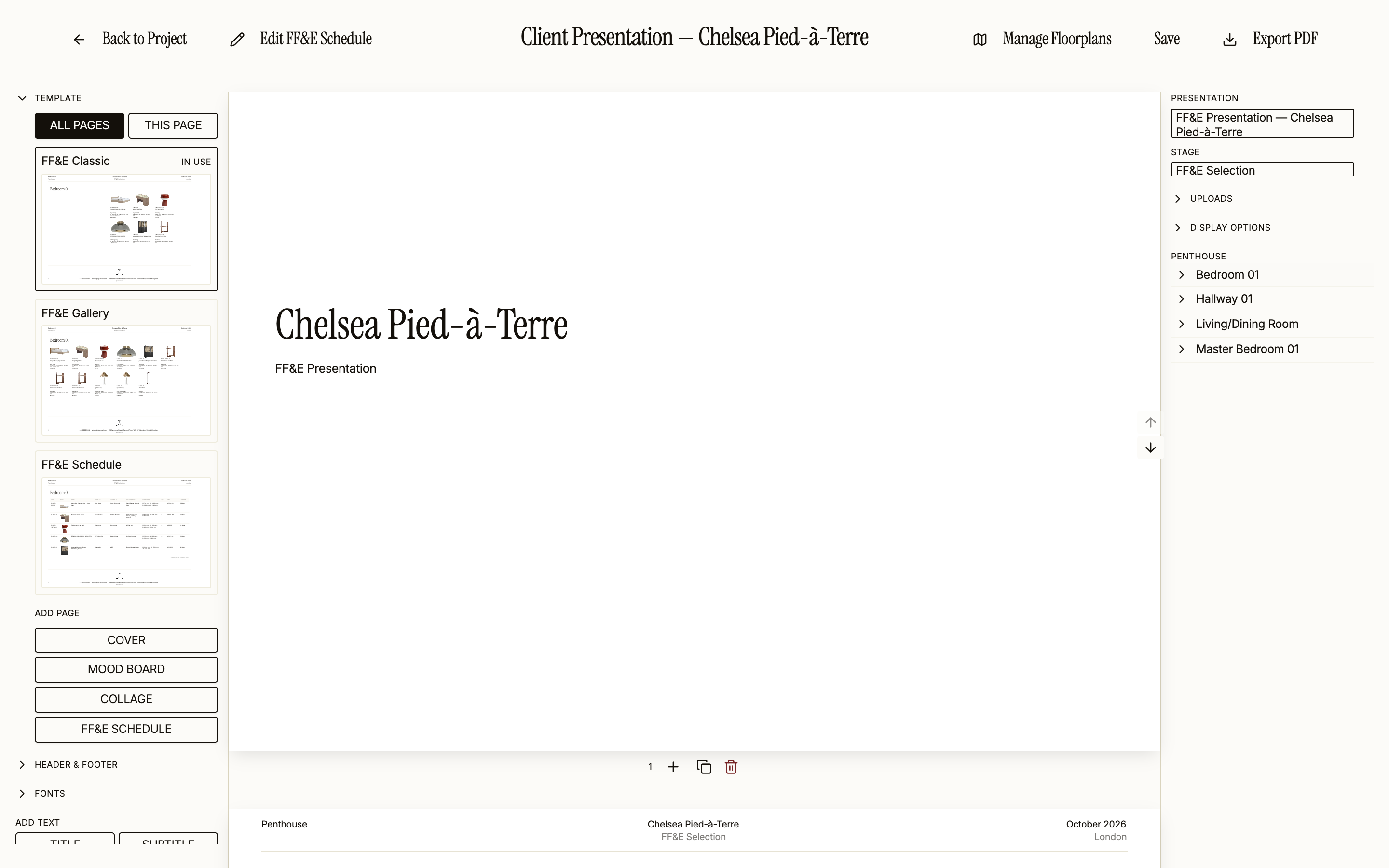
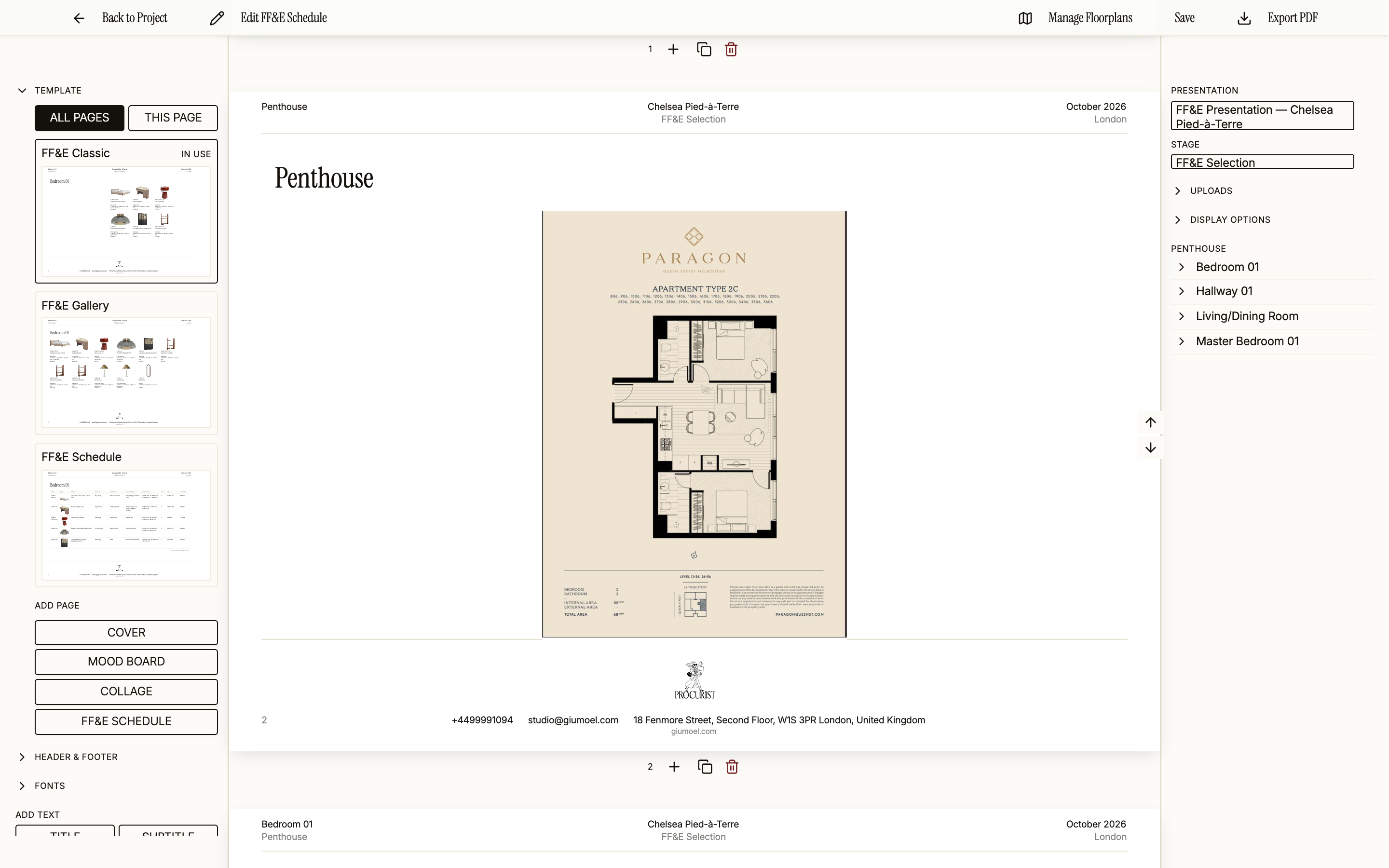
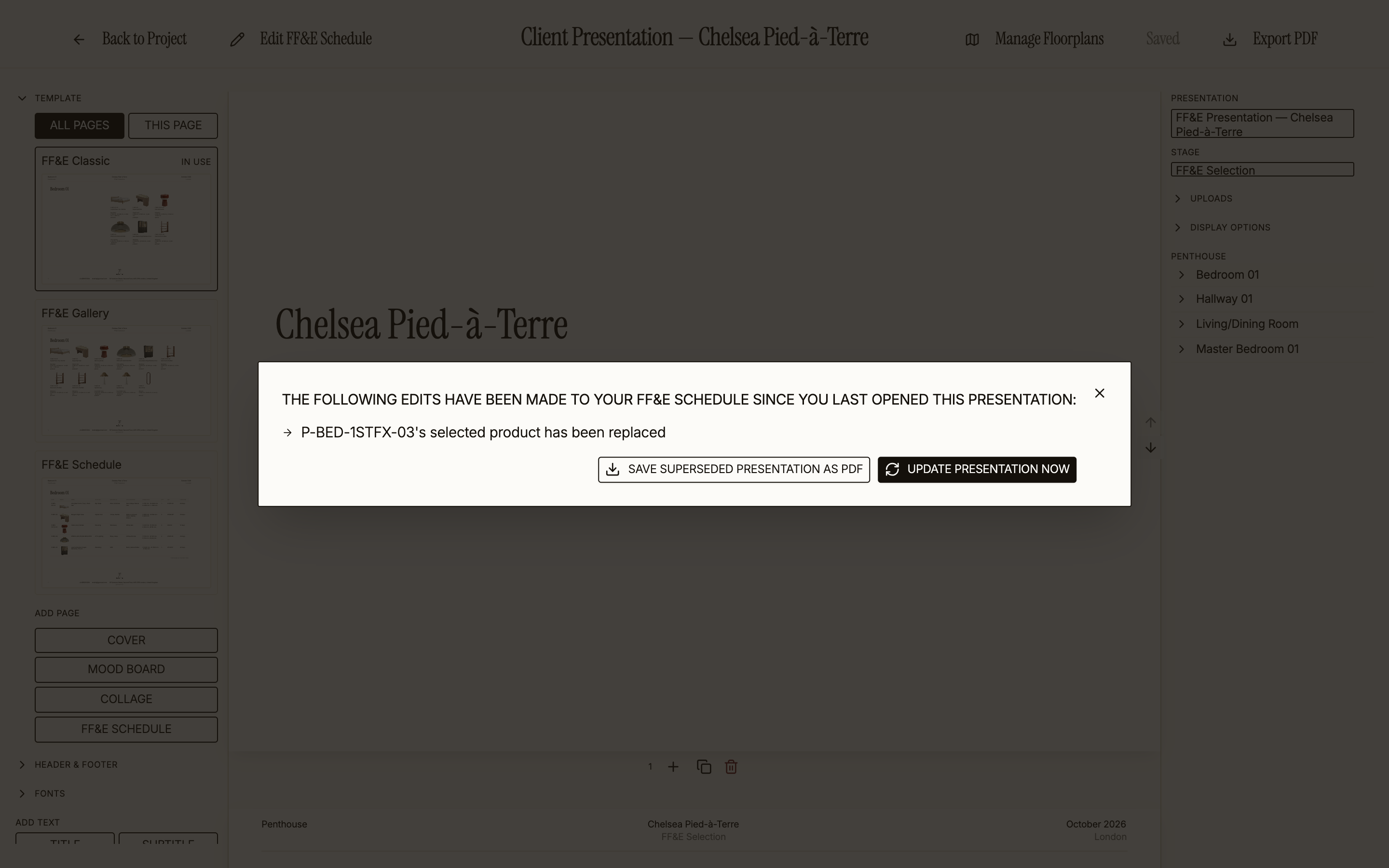
Client presentations. Generated from the schedule in your studio's branding. When a piece changes, you see what changed before you update.
Quotes and client invoices. Generated from the same schedule, with your pricing applied.
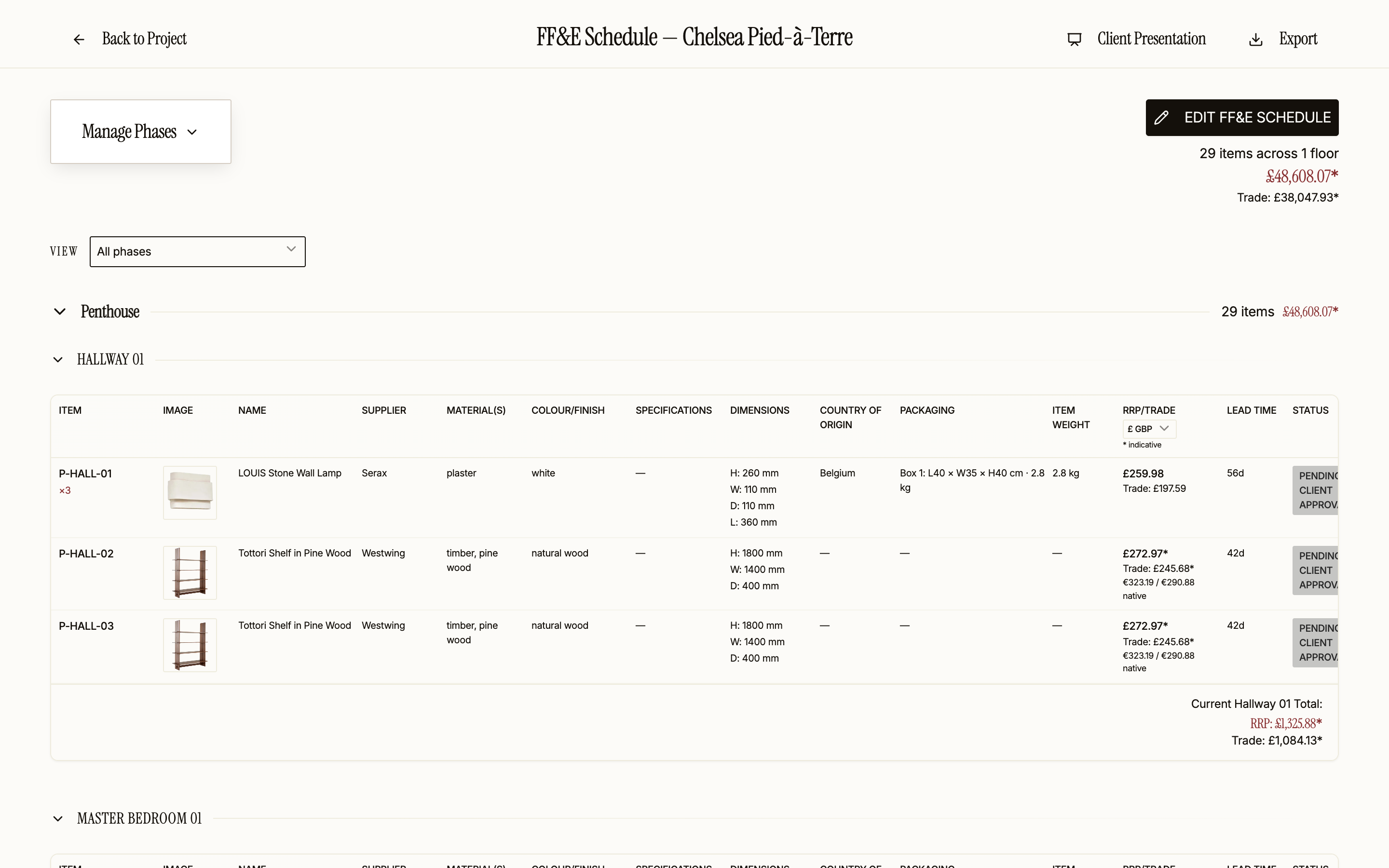
Orders and payments. Placed per supplier from the approved schedule, with each piece's status shown back on it.
Orders, deliveries and imports
Ordering, handled.
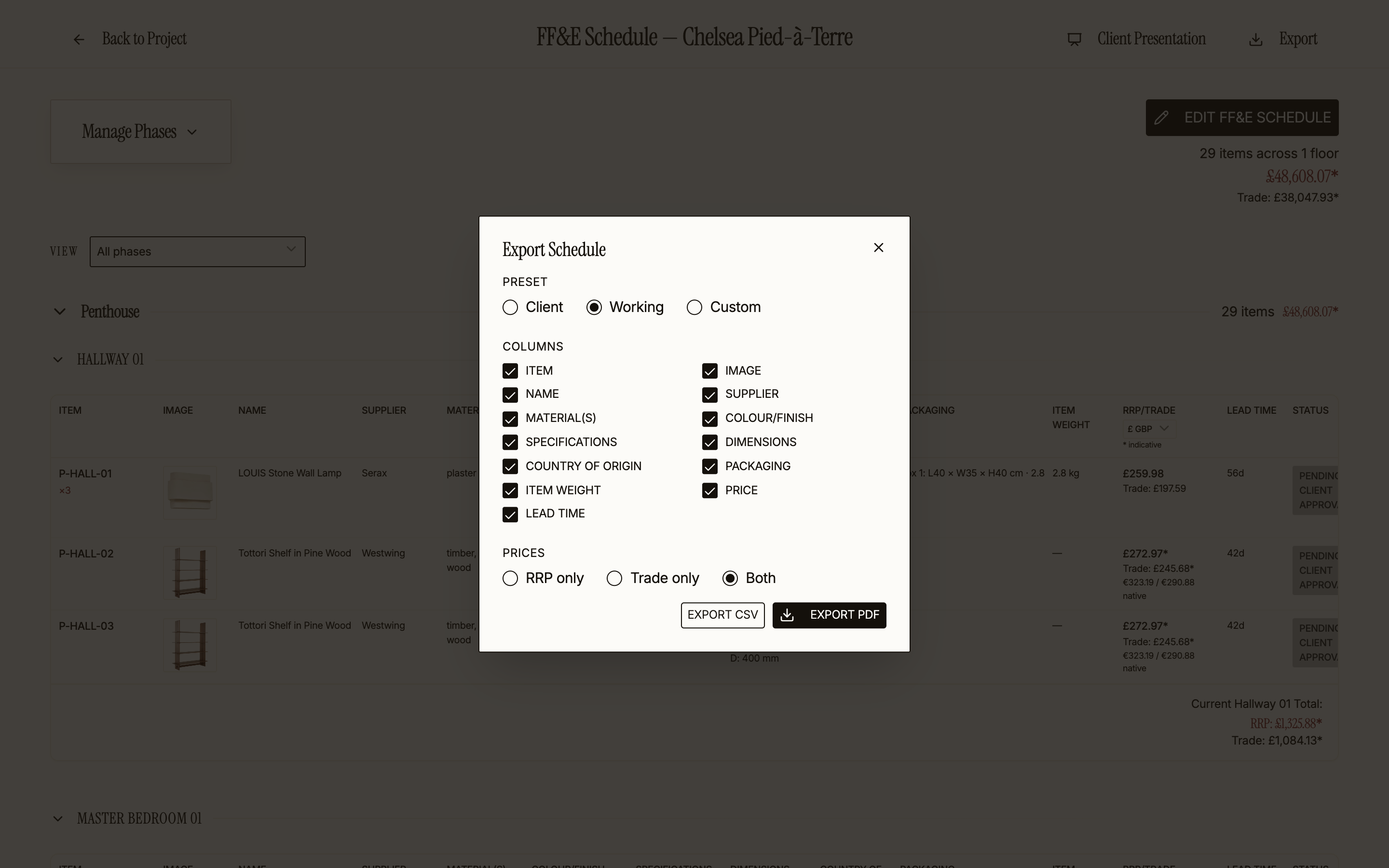
Place the order and it splits into one order per supplier, with every piece's status shown back on your schedule. Duty and import VAT are estimated per order from the live UK and EU tariffs.
Project management software for interior designers, compared.
Full comparisons: Procurist vs Programa, Procurist vs Studio Designer, Procurist vs Houzz Pro.
| Project management tools | Interior design software | Procurist | |
|---|---|---|---|
| FF&E schedule | Not offered | You build it from a product library or web clipper | Generated from your floor plans and mood boards, with a product proposed for every line |
| Sourcing | Not offered | You find the products yourself | Products proposed from vetted European brands, at trade price |
| Client presentations | Not offered | Assembled by you from your product items | Generated from the schedule, in your studio's branding |
| Quotes and client invoices | Not offered | Generated from your items | Generated from the schedule, with your pricing applied |
| Orders and supplier payment | Not offered | Purchase orders sent to vendors; paying suppliers is not offered | One order per supplier, paid through Procurist |
| Import duty and VAT | Not offered | Not offered | Estimated per order from the live UK and EU tariffs |
| Built for interior design | Generic, adapted with templates | Yes | Built by an interior designer, for interior designers |
| Pricing | Per user per month, billed annually: Trello from $5, monday.com from £8, Asana from $10.99 | Programa £55 per month for one seat; Studio Designer $69 to $109 per user per month; Houzz Pro $99 to $399 per month | One month free, then from €189 per month |
FF&E schedule
Project management tools
Not offered
Interior design software
You build it from a product library or web clipper
Procurist
Generated from your floor plans and mood boards, with a product proposed for every line
Sourcing
Project management tools
Not offered
Interior design software
You find the products yourself
Procurist
Products proposed from vetted European brands, at trade price
Client presentations
Project management tools
Not offered
Interior design software
Assembled by you from your product items
Procurist
Generated from the schedule, in your studio's branding
Quotes and client invoices
Project management tools
Not offered
Interior design software
Generated from your items
Procurist
Generated from the schedule, with your pricing applied
Orders and supplier payment
Project management tools
Not offered
Interior design software
Purchase orders sent to vendors; paying suppliers is not offered
Procurist
One order per supplier, paid through Procurist
Import duty and VAT
Project management tools
Not offered
Interior design software
Not offered
Procurist
Estimated per order from the live UK and EU tariffs
Built for interior design
Project management tools
Generic, adapted with templates
Interior design software
Yes
Procurist
Built by an interior designer, for interior designers
Pricing
Project management tools
Per user per month, billed annually: Trello from $5, monday.com from £8, Asana from $10.99
Interior design software
Programa £55 per month for one seat; Studio Designer $69 to $109 per user per month; Houzz Pro $99 to $399 per month
Procurist
One month free, then from €189 per month
Questions designers ask about project management software.
What is project management software for interior designers?
What software do interior designers use?
How is Procurist different from monday.com, Asana or Trello?
Can one platform replace my spreadsheets, presentations and invoicing?
Do I still need accounting software?
How much does Procurist cost?
Use Procurist for your next project.
Onboard your team today and try the first month free.